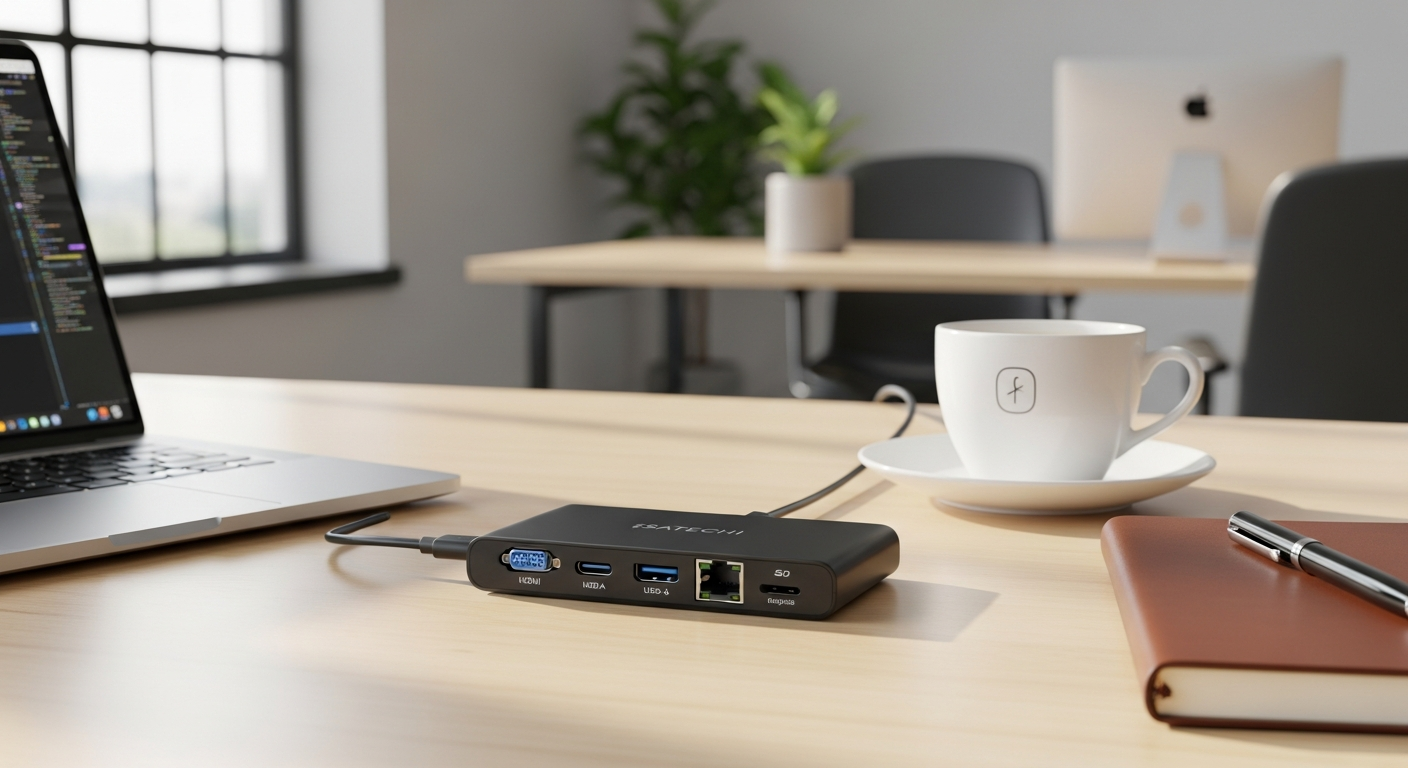
Remote workers lose an average of 2.5 hours per week to connectivity issues and device incompatibilities. When you're constantly hunting for the right cable, negotiating port limitations, or struggling with unstable connections, that time adds up fast. The Satechi USB-C Multi-Port Adapter V2 has become the go-to solution for professionals who refuse to compromise on productivity.
Whether you're working from coffee shops, co-working spaces, or hotel rooms across the globe, this compact hub consolidates everything your modern laptop desperately needs into one sleek device. Instead of juggling multiple cables or sacrificing functionality, you get genuine connectivity across 4K video, wired ethernet, fast data transfers, and simultaneous charging—all from a single aluminum companion that fits in your bag.
Discover how the Satechi V2 can transform your mobile workspace. This guide will help you understand exactly which features matter most for remote work, how it handles real-world scenarios, where it excels, and whether the investment makes sense for your specific situation.
Why Remote Workers Are Ditching Single-Port Limitations
Modern MacBooks, iPad Pros, and Windows ultrabooks prioritize thinness over practicality. You get one, maybe two USB-C ports, and suddenly you're choosing between charging your device, connecting an external monitor, or transferring files. It's a choice that shouldn't exist.
Traditional docking solutions promise to solve this, but they come with their own frustrations. Full docking stations require a dedicated desk—worthless for professionals who move between locations. You're back to carrying multiple cables, each one serving a single purpose, each one adding weight and bulk to your bag.
The productivity cost runs deeper than inconvenience. Every time you unplug your monitor to charge, you lose focus. Every time you can't access your external drive because you're charging, you're paying the price twice over. That psychological friction—constantly adapting, constantly unplugging—drains mental energy that should go toward actual work.
A portable, all-in-one adapter changes the equation entirely. Instead of choosing between connectivity needs, you handle them simultaneously. Your monitor stays connected. Your device charges. Your external drive transfers data. One cable. One solution.
Breaking Down the Connectivity Features That Matter for Your Workflow
4K HDMI at 60Hz: Bringing Your Monitor with You
Hotel rooms and co-working spaces come with disappointingly small screens. The moment you connect to an external monitor, your productivity jumps. The Satechi V2 delivers 4K output at 60Hz without quality loss, which means crisp text, smooth video, and no flicker during presentation or extended work sessions. For designers, video editors, and anyone doing detailed work on a small laptop screen, this feature alone justifies the investment.
Gigabit Ethernet Port: When Wi-Fi Isn't Good Enough
Wireless internet has improved, but it remains fundamentally unreliable in shared spaces. Video calls drop. Upload speeds suffer. Presentations stutter. Gigabit Ethernet eliminates these variables entirely. When you're on a client call or streaming during a presentation, wired connectivity provides the stability that coffee shop Wi-Fi simply cannot match. The difference between "probably okay" and "definitely stable" is precisely what separates professionals from amateurs.
60W USB-C Power Delivery: Charging Without Compromise
You plug in your adapter. Your device charges. Every other port remains available. You're not sacrificing connectivity for power, and you're not choosing between a fully charged laptop and functional ports. The 60W capacity handles most modern laptops, allowing you to maintain power while your monitor, drives, and peripherals all function simultaneously.
Three USB 3.0 Type-A Ports: Speed Where You Need It
External hard drives, wireless mice, keyboards, USB dongles for various peripherals—your peripherals likely still use USB-A connectors. The three ports provide enough bandwidth for simultaneous usage without bottlenecks. Data transfer speeds reach up to 5Gbps, which means large file transfers complete quickly rather than stretching across multiple minutes.
SD and MicroSD Card Readers: Direct Access for Content Creators
Photographers and videographers working remotely benefit significantly from direct card access. Instead of hunting for an external card reader, the Satechi V2 integrates the functionality. Your workflow remains uninterrupted, and you avoid the extra cable cluttering your setup.
Built-in 6-inch USB-C Cable: One Less Thing to Carry
The included cable attaches directly to the adapter, eliminating the need to source a separate cable and reducing the tangle of cords on your desk. One cable connection to your device powers everything.
Design and Portability: Built for the Traveling Professional
The aluminum construction withstands the wear and tear of constant travel. It doesn't feel flimsy, and it doesn't feel cheap. The Space Gray finish matches MacBooks and other premium devices, blending seamlessly into your workspace rather than looking like an afterthought tech accessory.
Compact dimensions and lightweight design mean the adapter fits easily into laptop bags, backpacks, and carry-ons without adding noticeable bulk. Professionals who move between locations daily benefit from equipment that doesn't make itself felt. The Satechi V2 disappears into your setup.
The aesthetic appeal matters more than skeptics admit. When you're working in shared spaces, your equipment reflects on you. A sleek aluminum adapter suggests someone organized and intentional. A cheap plastic hub suggests someone who settled.
After months of frequent use and transport, the adapter maintains its integrity. The cable connection remains secure, the ports function reliably, and the overall construction shows minimal signs of stress. This durability matters when you're depending on a single device to provide critical connectivity.
Check the Satechi V2's availability and current pricing.
Real-World Performance: What Actually Happens When You Use It Daily
Charging speed remains stable even when running multiple devices simultaneously. Your MacBook charges at full speed while your external monitor, ethernet connection, and USB peripherals all operate without interference. The power distribution handles the load intelligently.
Heat generation becomes noticeable during extended work sessions, particularly when utilizing pass-through charging with multiple high-bandwidth devices simultaneously. The aluminum body manages heat reasonably well, but you might feel warmth during intensive use. This is normal operation, not a malfunction, though it's worth acknowledging if you're concerned about longevity.
Port spacing on the three USB-A connectors runs tight. Larger USB drives with bulky connectors can interfere with adjacent ports, requiring you to use the outer ports or employ spacing adapters. It's a minor frustration rather than a dealbreaker, but worth knowing in advance if you rely on oversized connectors.
The improved MicroSD click mechanism functions reliably after repeated use. Cards stay secure without risk of accidentally dislodging mid-transfer, addressing a legitimate weakness in earlier adapter designs.
Performance remains consistent across different MacBook models and Windows laptops. The adapter doesn't discriminate based on your device choice—it provides the same functionality whether you're using a MacBook Pro, MacBook Air, or Windows ultrabook.
Data transfer speeds align with advertised specifications. Real-world testing confirms USB 3.0 connectivity operates at expected velocities, making large file transfers predictable and efficient.
Compatibility Across Your Device Ecosystem
The Satechi V2 supports full compatibility with MacBook Air and MacBook Pro across recent generations. Whether you're using M-series chips or Intel processors, the adapter functions flawlessly.
iPad Pro owners gain reliable charging, HDMI output, and peripheral connectivity, making the adapter useful for tablet-based workflows.
Windows laptop and Microsoft Surface Pro support extends the adapter's utility across operating systems. Professionals using multiple platforms benefit from consistent functionality regardless of which device they're working with.
The adapter requires USB Power Delivery protocol support from your device, which covers nearly all modern USB-C equipped laptops but excludes some older devices. Checking your specific device's specifications ensures compatibility before purchasing.
Cross-platform reliability remains consistent for professionals using multiple operating systems. You don't experience performance degradation or functionality loss when switching between macOS and Windows devices.
Honest Trade-Offs: When the Satechi V2 Might Not Be Your Answer
The tight USB-A port spacing presents the most obvious limitation. Larger peripherals and bulky connectors can interfere with adjacent ports. Workarounds exist—using external spacing adapters or prioritizing which devices occupy which ports—but this constraint merits acknowledgment.
Heat considerations during intensive pass-through charging scenarios deserve attention. If you're regularly charging your device at maximum power while running multiple high-bandwidth devices, the adapter generates noticeable warmth. This doesn't damage the adapter, but it's worth knowing in advance.
The USB-A ports cannot charge iPads or power multiple bus-powered devices simultaneously. If your workflow involves charging multiple peripherals directly from the adapter, you'll encounter limitations. Each port shares bandwidth, and power-hungry devices compete for resources.
The price point sits higher than some competing multi-port adapters, ranging from $69.99 to $89.99. Budget-conscious buyers might find more affordable options with fewer features, though quality and reliability trade down accordingly.
Situations where a full docking station serves you better include permanent workspace setups. If you never move your equipment, a traditional dock provides superior organization and functionality. The Satechi V2 targets professionals who work mobile.
Users needing only basic HDMI and charging might find the adapter over-featured for their actual requirements. If you don't use ethernet, SD cards, or multiple USB devices, a simpler adapter could suffice.
Setting Up Your Mobile Workspace: Practical Implementation Tips
Cable management deserves attention in travel setups. The built-in cable attaches directly to the adapter, but your peripherals likely add additional cables. Velcro cable ties or a small cable organizer prevent tangles while traveling. Keep everything compact—unnecessary cable length creates clutter and increases bag weight.
Protect the adapter during transport by using a small cable pouch or protective case. The aluminum body resists damage, but protecting the ports and cable from bending prevents premature wear. A simple neoprene sleeve costs little and extends the adapter's lifespan.
Recommended peripherals that pair well include a reliable external USB-C monitor or USB-C docking station for permanent desk setups, quality wireless mouse and keyboard for consistent ergonomics, and a high-capacity external SSD for reliable backup and file transfer.
Creating a consistent workspace routine across different locations strengthens productivity. Develop a setup sequence: connect your monitor first, then ethernet, then peripherals. This consistency builds muscle memory and reduces the mental overhead of adapting to new environments.
Power adapter selection should prioritize higher wattage output to maximize the 60W delivery potential. A 96W USB-C power adapter ensures the Satechi V2 can deliver full power while efficiently charging your device.
Cable organization hacks for shared workspaces include using cable clips to route wires neatly behind monitors, running cables through desk grommets if available, and grouping related cables together to minimize visual clutter.
Cost-Benefit Analysis for Remote Work Professionals
The $69.99 to $89.99 price range represents a genuine investment in productivity. For frequent travelers, the value proposition aligns directly with time saved—no more hunting for cables, no more negotiating port limitations, no more compromises between charging and connectivity.
ROI calculation favors the adapter if you regularly lose time to connectivity issues. Recovering even one hour per week of previously wasted time on cable negotiations and port conflicts justifies the investment within a few months.
Buying individual cables and adapters separately costs more than the Satechi V2 and requires carrying multiple devices. The consolidation alone saves money compared to piecing together equivalent functionality.
Long-term durability and replacement cost considerations favor the Satechi V2. Quality construction means you won't face premature failure requiring replacement within a year or two. One adapter serves you reliably for years rather than cycling through cheaper alternatives.
Budget-friendly alternatives exist but trade durability and feature completeness for lower price. A $30 adapter might handle basic needs but lacks the Gigabit Ethernet and 4K HDMI capabilities that justify the premium model.
The premium price becomes justified when your specific workflow demands these features. If you regularly connect to external monitors, depend on wired internet for video calls, and transfer large files frequently, the Satechi V2 pays for itself through recovered productivity.
Making Your Final Decision: Is the Satechi V2 Right for Your Setup?
Self-assessment questions clarify whether this adapter matches your needs. Do you work outside a traditional office regularly? Do you connect to external monitors? Do you need wired internet connectivity? Do you transfer large files frequently? Answering yes to most of these questions suggests the Satechi V2 makes sense for your situation.
Evaluate your current connectivity pain points honestly. Are you frustrated by port limitations? Do you lose time unplugging and replugging devices? Do wireless connections drop during important calls? These pain points indicate genuine problems the adapter solves.
Match the adapter's features to your actual daily requirements rather than hypothetical nice-to-haves. If you never use SD cards, that feature provides no value. If you never connect monitors, HDMI output might be unnecessary. Honest assessment prevents paying for unused functionality.
Consider your travel frequency and workspace variability. Frequent location changes favor portable solutions. A fixed desk setup might better serve a full docking station. Your actual working pattern determines optimal equipment.
Test compatibility with your specific device lineup before committing. Verify your laptop supports USB Power Delivery. Check that your peripherals work with USB 3.0 connectivity. Eliminate compatibility concerns in advance.
Reading user reviews from professionals in your industry provides valuable perspective. Someone using the Satechi V2 for similar work to yours offers insights into real-world performance in your actual use case.
Warranty coverage and customer support considerations matter for professional equipment. Satechi provides reliable support for its products, and warranty protection gives confidence in the investment.
Transform Your Remote Workspace Starting Today
The Satechi USB-C Multi-Port Adapter V2 solves a genuine problem for professionals who work anywhere. You get reliable 4K video output, stable wired internet, simultaneous charging, and fast data transfers—all without sacrificing portability or aesthetic appeal.
Yes, it generates some heat under heavy load and the USB-A ports sit close together, but for remote workers and digital nomads who've experienced the frustration of incompatible ports, dropped connections, or having to choose between charging and productivity, those minor compromises fade into insignificance.
Your future self, sitting in a coffee shop with a fully charged device, stable internet connection, and an external monitor displaying your work, will thank you for the investment. The frustration of port limitations disappears. The anxiety about connectivity drops away. You work with the equipment you need, when you need it, wherever you are.
Get the Satechi USB-C Multi-Port Adapter V2 and upgrade your remote work setup now.
Leave a Reply