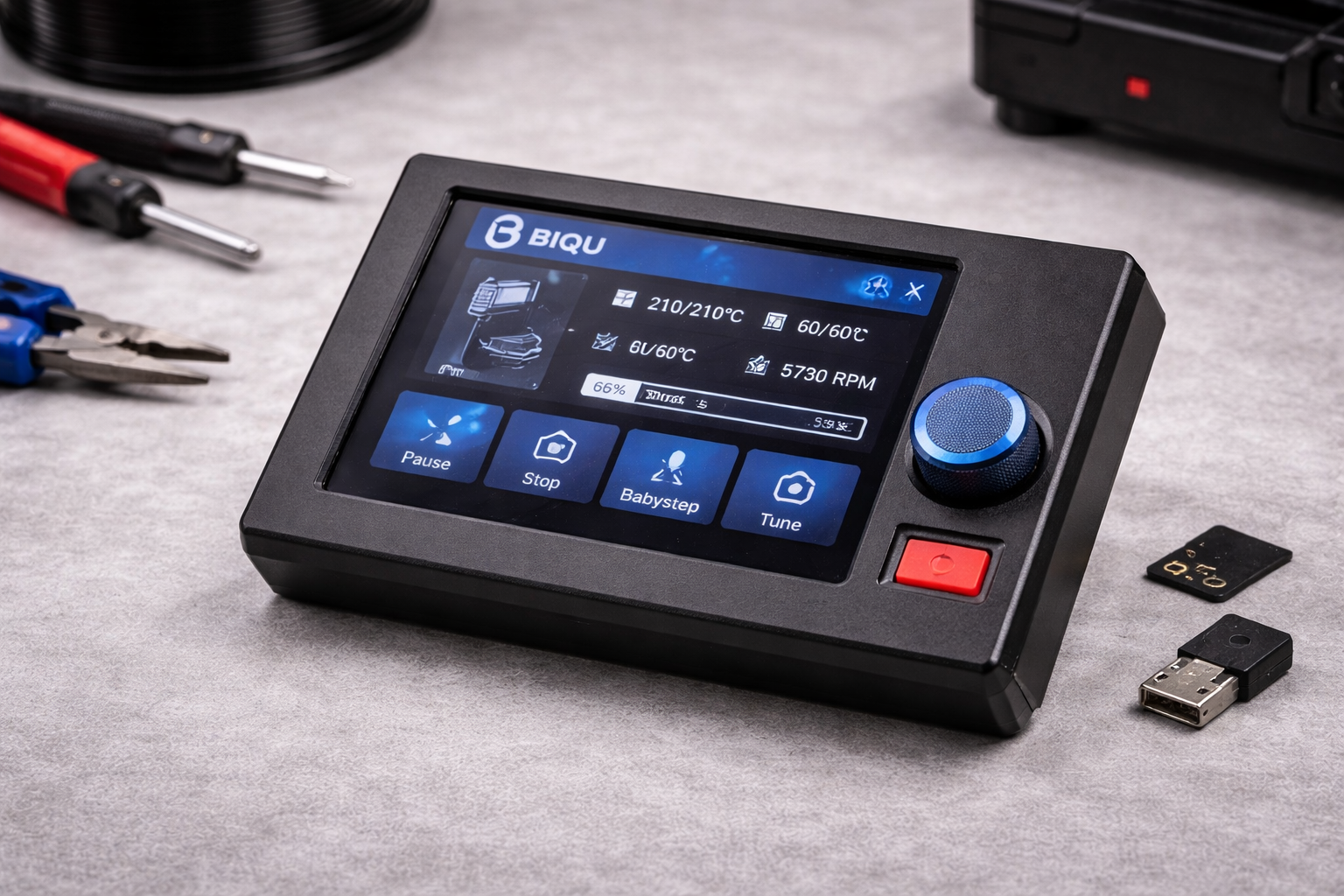
A 3D printer becomes much easier to manage when the control interface works smoothly. Instead of relying on a connected computer, you can operate everything directly from the printer.
A BIQU LCD screen turns your printer into a self-contained system where you adjust temperatures, start prints, and monitor progress from one panel.
Modern BIQU and BIGTREETECH displays add touchscreen navigation, dual interface modes, and compatibility with popular firmware like Marlin and Klipper. These screens are widely used in custom printer builds and upgrades because installation stays simple and the interface feels intuitive.
Many users upgrade their stock displays after discovering that a better screen speeds up workflow and improves monitoring during long prints.
BIQU LCD Screen Overview for 3D Printer Control
A BIQU LCD screen acts as the main control panel for your printer. Instead of adjusting settings through a computer, you manage the machine directly from the display.
Typical functions include:
- Starting or pausing prints
- Adjusting nozzle and bed temperatures
- Monitoring print progress
- Accessing printer configuration settings
- Running calibration tools
Most BIQU displays support two interface modes:
| Mode | Description |
| Touchscreen Mode | Modern graphical interface with icons and menus |
| LCD12864 Mode | Classic rotary-encoder interface used in many printers |
This dual-mode design helps compatibility with both Marlin and Klipper firmware. According to the Marlin documentation, LCD controllers allow users to run printing tasks directly from an SD card without computer interaction, which improves reliability during long prints (Marlin Firmware Documentation).
Many hobbyists and professionals prefer this setup because it reduces USB connection issues and keeps printer control localized.
BIGTREETECH TFT35 V3.0 Touchscreen Display
The BIGTREETECH TFT35 V3.0 remains one of the most popular display upgrades in the BIQU ecosystem.
Key Specifications
| Feature | Details |
| Screen Size | 3.5 inches |
| Resolution | 480 × 320 |
| Processor | ARM Cortex-M3 at 120 MHz |
| Input Voltage | 5V |
| Board Size | 110 × 58 mm |
Features You Notice Immediately
- Full-color touchscreen interface
- Classic rotary encoder navigation
- SD card and USB printing support
- Firmware updates through SD card
- Optional WiFi module support
The display connects through EXP1, EXP2, EXP3, and RS232 ports, which keeps compatibility high across BIGTREETECH boards.
Typical US pricing from the official BIQU store falls around $42–$52.
Many users install this model with:
- SKR Mini E3
- SKR V1.4
- SKR Pro
- Octopus
- Manta control boards
Community reports across 3D printing forums frequently highlight the TFT35 as one of the easiest display upgrades for Marlin systems.
BIGTREETECH TFT35-E3 V3.0 for Ender-Series Printers
The TFT35-E3 V3.0 focuses on Creality printers such as the Ender-3 and Ender-5.
Instead of requiring custom mounting brackets, this model fits the stock screen location.
Core Specifications
| Feature | Details |
| Screen Size | 3.5 inches |
| Resolution | 480 × 320 |
| Processor | STM32F207VCT6 |
| Voltage | 5V |
| Dimensions | 93 × 87 mm |
Why This Upgrade Works Well
- Direct replacement for Ender displays
- Improved graphical user interface
- Touchscreen and encoder navigation
- Flexible SD card voltage support
Official BIQU store pricing typically ranges between $40 and $49.
Many Ender owners install this display alongside SKR Mini E3 boards, which simplifies firmware compatibility.
BIGTREETECH TFT43 Touchscreen Display
The BIGTREETECH TFT43 offers a slightly larger interface for users who want better visibility without moving to a very large display.
Specifications
| Feature | Details |
| Screen Size | 4.3 inches |
| Resolution | 480 × 272 |
| Power | 5V |
| Interfaces | UART and SPI |
Practical Benefits
- Clearer menus compared with smaller displays
- Direct printing from SD cards and USB driver
- Marlin and Klipper compatibility
- Optional WiFi expansion
Typical US retail pricing from the BIQU website sits around $37–$49.
This display often appears in custom printer builds where builders want a larger interface without redesigning the printer enclosure.
BIGTREETECH TFT50 Touchscreen Display
If you want a bigger control interface, the TFT50 touchscreen display increases screen size significantly.
Display Specifications
| Feature | Details |
| Screen Size | 5 inches |
| Resolution | 800 × 480 |
| Power Input | 5V |
Why Many Builders Choose It
- Higher resolution improves menu readability
- Larger icons simplify navigation
- Multi-language interface support
Official BIQU pricing typically ranges between $50 and $65 in the US store.
This screen fits well on printers with larger control panels or custom enclosures.
BIGTREETECH TFT70 Large Touchscreen Display
The TFT70 touchscreen targets builders who want the largest interface available in the BIQU lineup.
Technical Overview
| Feature | Details |
| Screen Size | 7 inches |
| Resolution | 1024 × 600 |
| Power | 5V |
Why Large Displays Matter
A bigger interface improves visibility during long prints, especially for:
- large-format printers
- enclosed printer cabinets
- multi-printer workspaces
Official BIQU pricing usually ranges from $65 to $79.
Large displays also allow easier monitoring of print progress graphs and system status screens.
MINI12864 V2.0 RGB LCD Display
Not every printer needs a touchscreen. The MINI12864 V2.0 RGB LCD remains a popular choice for compact builds.
Key Specs
| Feature | Details |
| Resolution | 128 × 64 |
| Control | Rotary encoder |
| Voltage | 5V |
Features Worth Noting
- Customizable RGB backlight colors
- Compact form factor
- Simple installation via EXP1 and EXP2 ports
Official pricing from the BIQU store generally ranges between $12 and $18, making it one of the most affordable control panels available.
Many builders still prefer encoder displays because they remain extremely reliable during long print sessions.
BIQU Pad 7 Klipper Screen
The BIQU Pad 7 works differently from standard displays. It functions as a standalone Klipper controller rather than just a screen.
Hardware Overview
| Feature | Details |
| Screen Size | 7 inches |
| Resolution | 1024 × 600 |
| Processor | Quad-core ARM |
| RAM | 2GB |
| Storage | 16GB eMMC |
Advanced Capabilities
- WiFi and Ethernet connectivity
- Control multiple printers from one interface
- Built-in Klipper environment
- No Raspberry Pi required
Official BIQU store pricing typically falls between $129 and $159.
According to Klipper documentation, offloading processing to dedicated hardware improves motion planning and print accuracy compared with traditional firmware running on printer boards.
BIGTREETECH HDMI Displays for Klipper Systems
Some Klipper users run their printers through Raspberry Pi systems. BIGTREETECH HDMI displays integrate directly with those setups.
Available Models
| Model | Size | Resolution | Typical Price |
| HDMI5 | 5 inches | 800 × 480 | $55–$65 |
| HDMI7 | 7 inches | 1024 × 600 | $65–$89 |
These displays use capacitive touch panels, which provide a smartphone-like interface when interacting with Klipper dashboards.
Connection happens directly through the Raspberry Pi HDMI port, making installation straightforward.
Quick Comparison of BIQU LCD Screen Options
| Category | Recommended Model | Typical Price |
| Budget Option | MINI12864 V2.0 | ~$15 |
| Best Touchscreen Value | TFT35 V3.0 | ~$45 |
| Best Ender Upgrade | TFT35-E3 V3.0 | ~$45 |
| Larger Interface | TFT50 | ~$60 |
| Largest Screen | TFT70 | ~$70 |
| Klipper All-in-One | BIQU Pad 7 | ~$149 |
Users often choose based on three factors:
- printer compatibility
- desired screen size
- firmware setup (Marlin or Klipper)
Community discussions across platforms such as Reddit’s r/3Dprinting frequently recommend the TFT35 series for general upgrades because of its flexibility.
Conclusion
Upgrading a printer display can dramatically improve the way you interact with your machine. A BIQU LCD screen allows direct control of prints, faster configuration changes, and clearer progress monitoring.
Touchscreen models like the TFT35 or TFT50 suit most hobby printers. Larger displays such as the TFT70 work well for custom builds or large machines. If your setup runs Klipper, the BIQU Pad 7 delivers an all-in-one control solution with built-in computing power.
Every option serves a slightly different purpose, so your best choice depends on your printer board, firmware, and workspace.
Take a moment to review compatibility with your control board before upgrading. The right display can make daily printing tasks faster and far more comfortable.
If your printer still uses a basic screen, exploring a BIQU display upgrade may be worth considering.
Leave a Reply